Время, маршруты и визиты команды — на задачах вашего таск-трекера.
Часы, километры и визиты команды попадают в ваш трекер задач сами — без отчётов от сотрудников.



От запуска таймера до отчёта в трекере
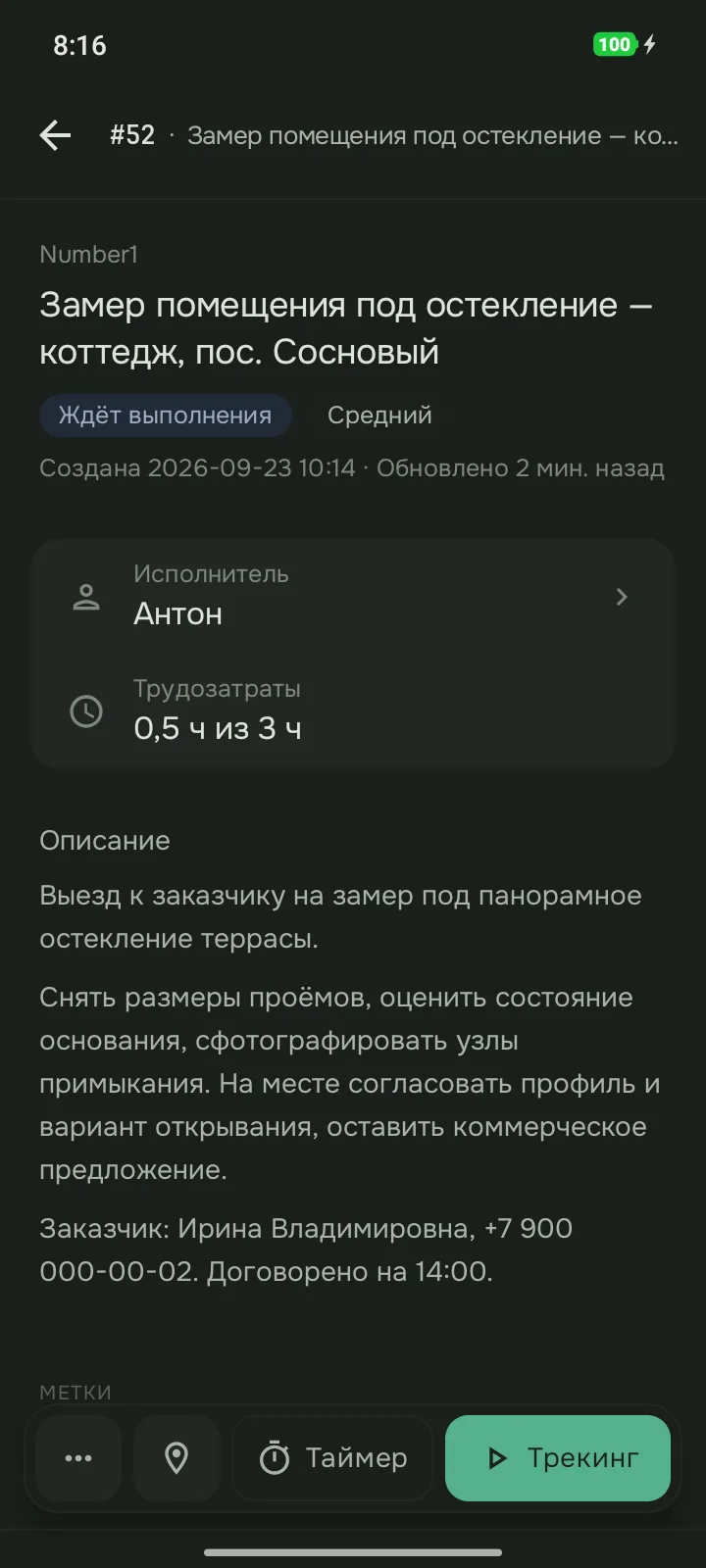
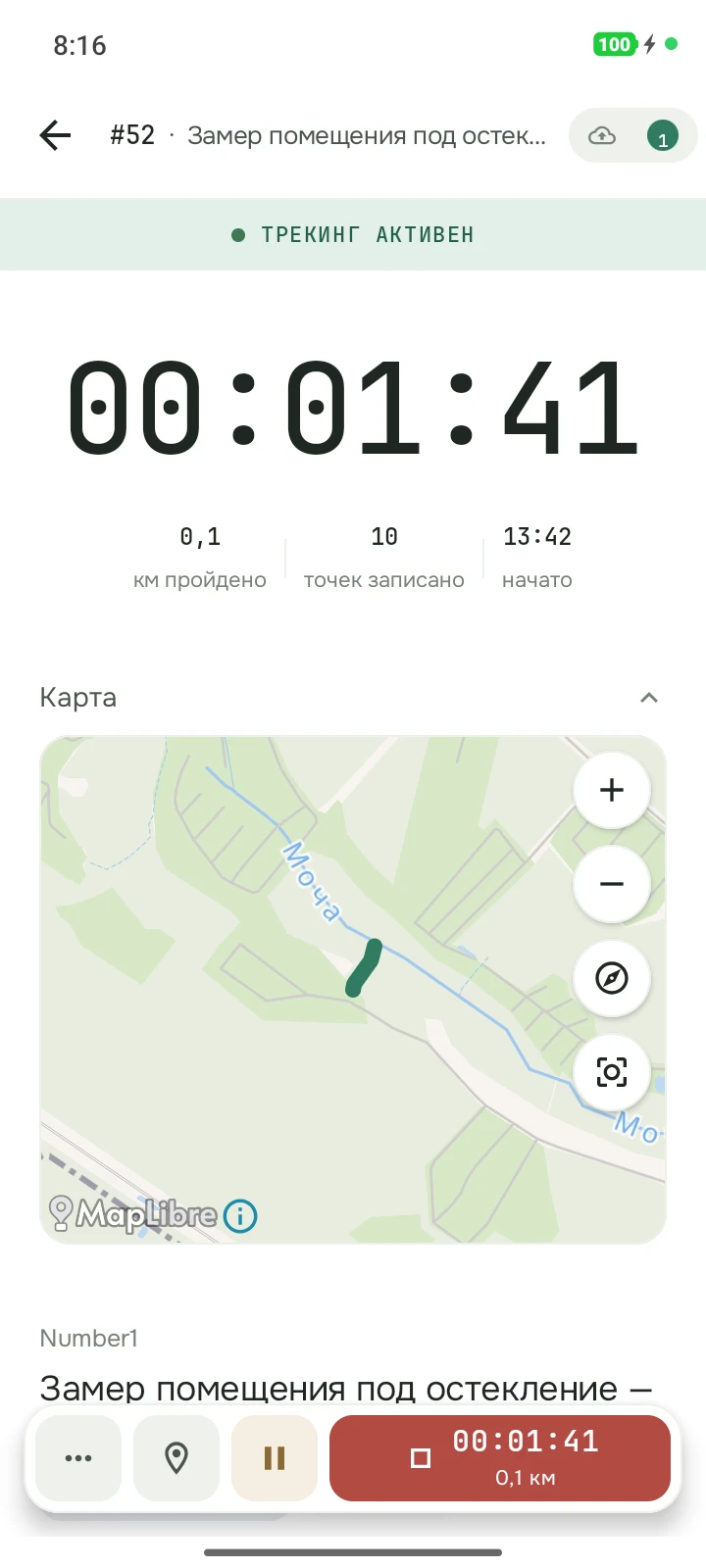
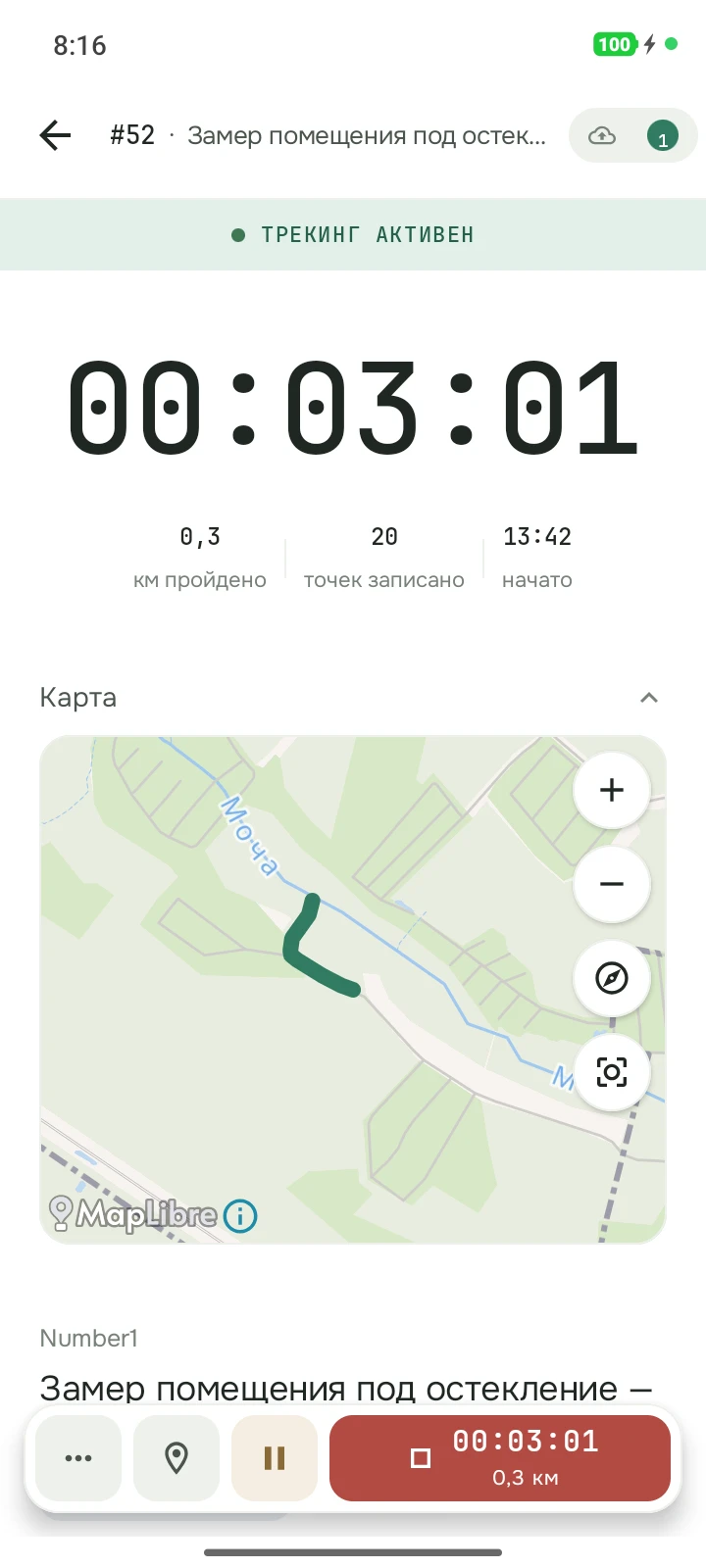
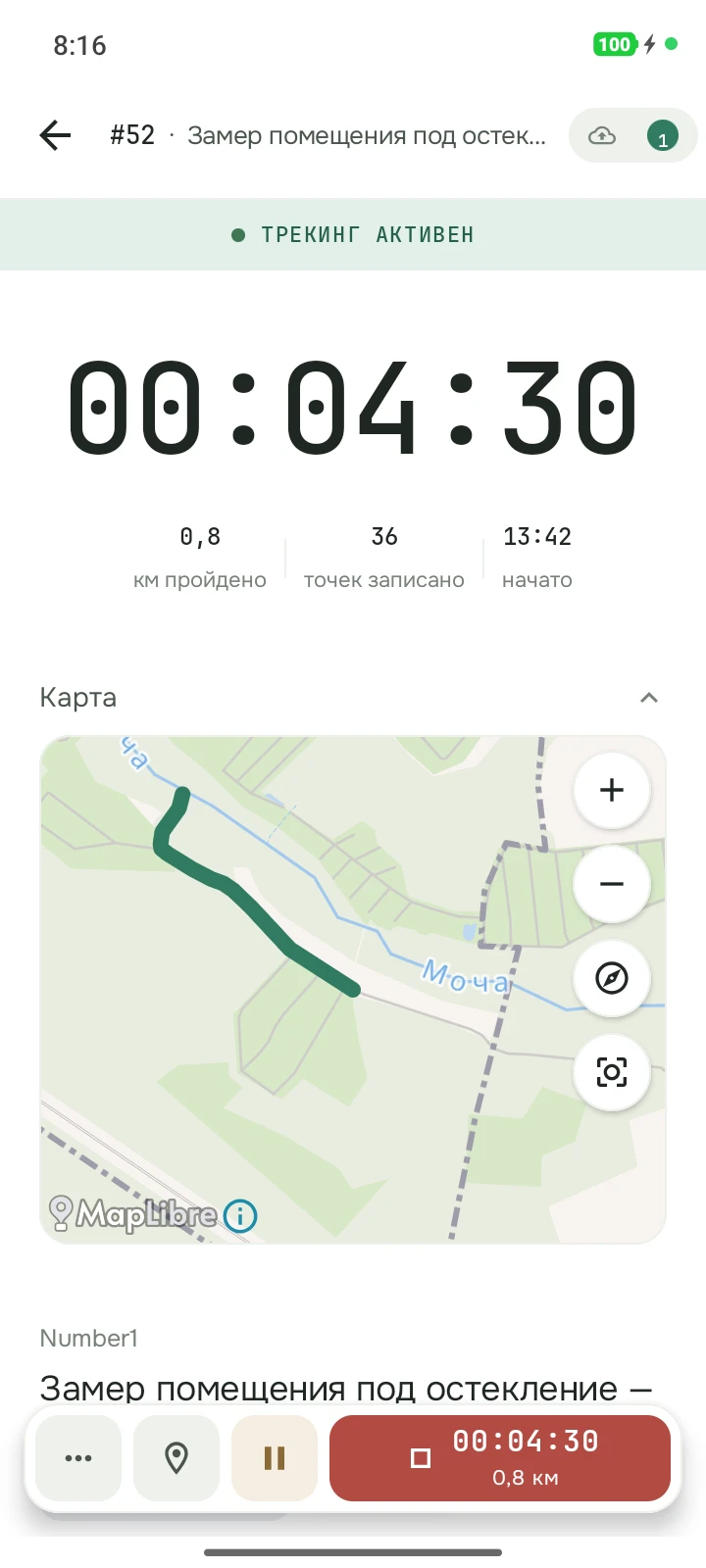
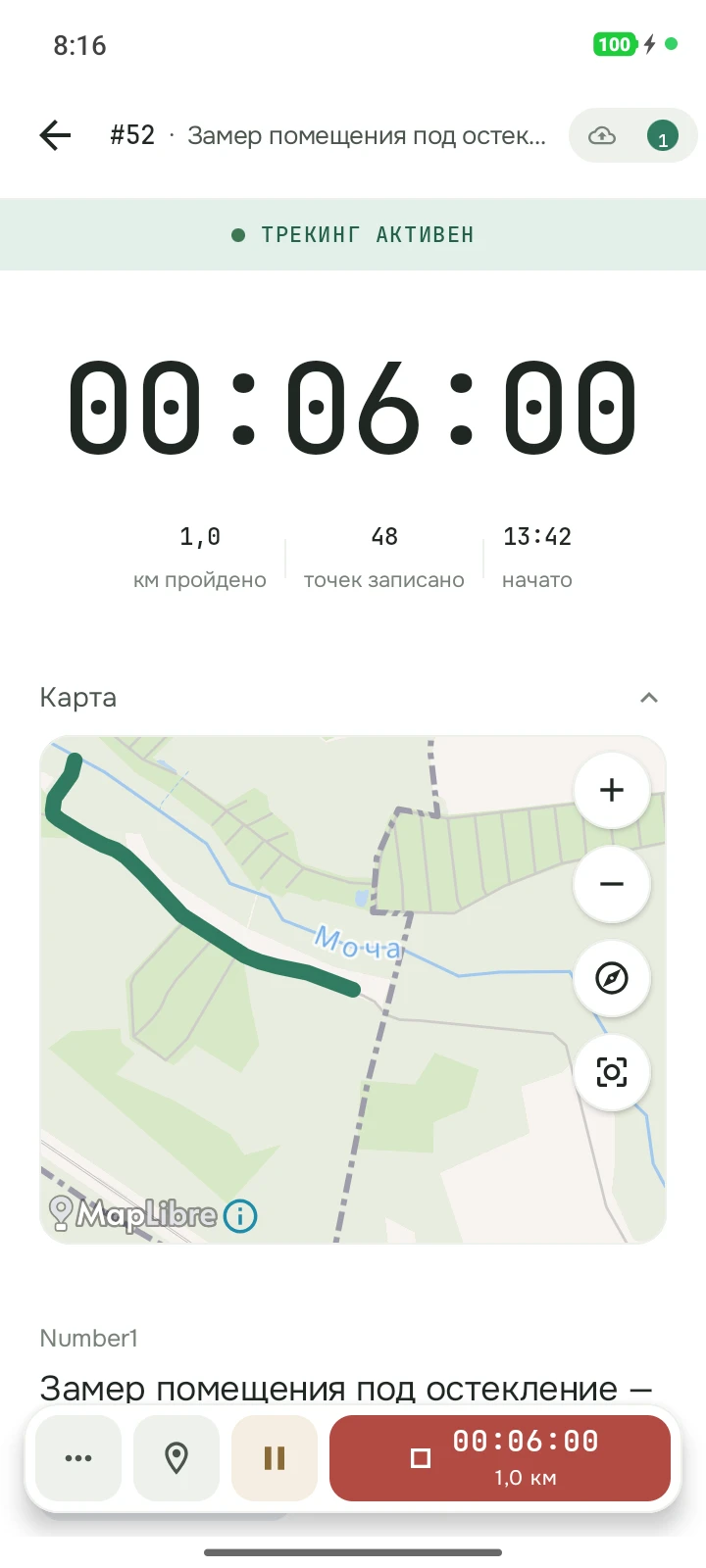
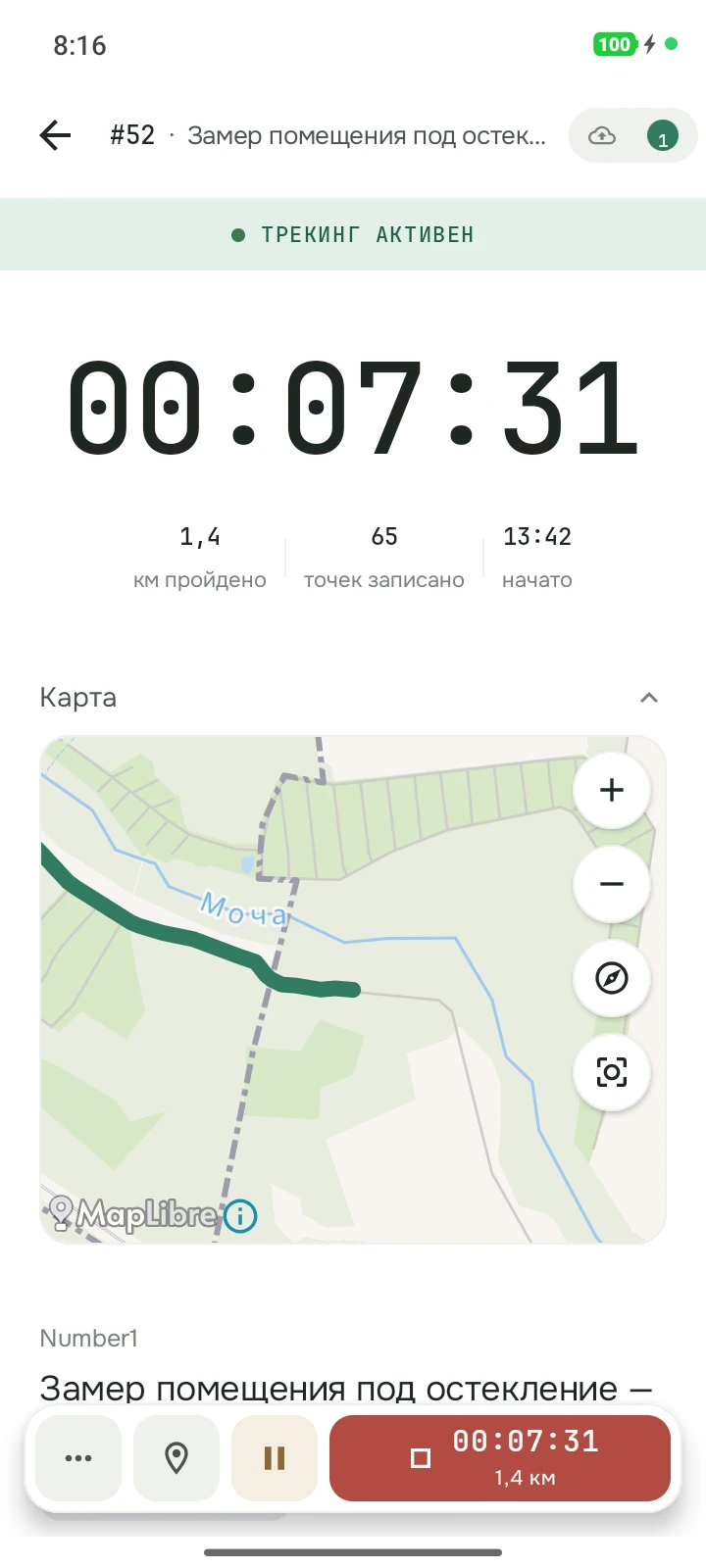
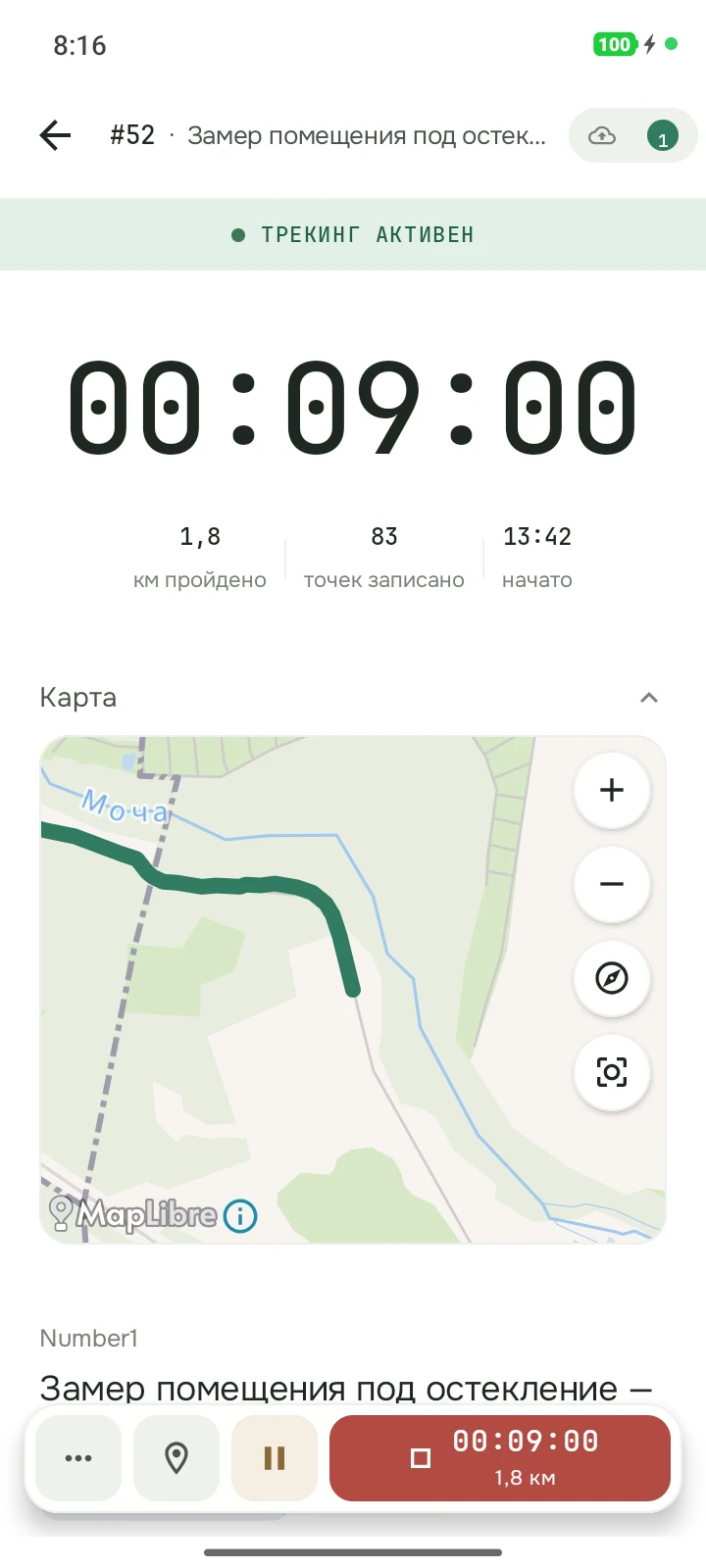
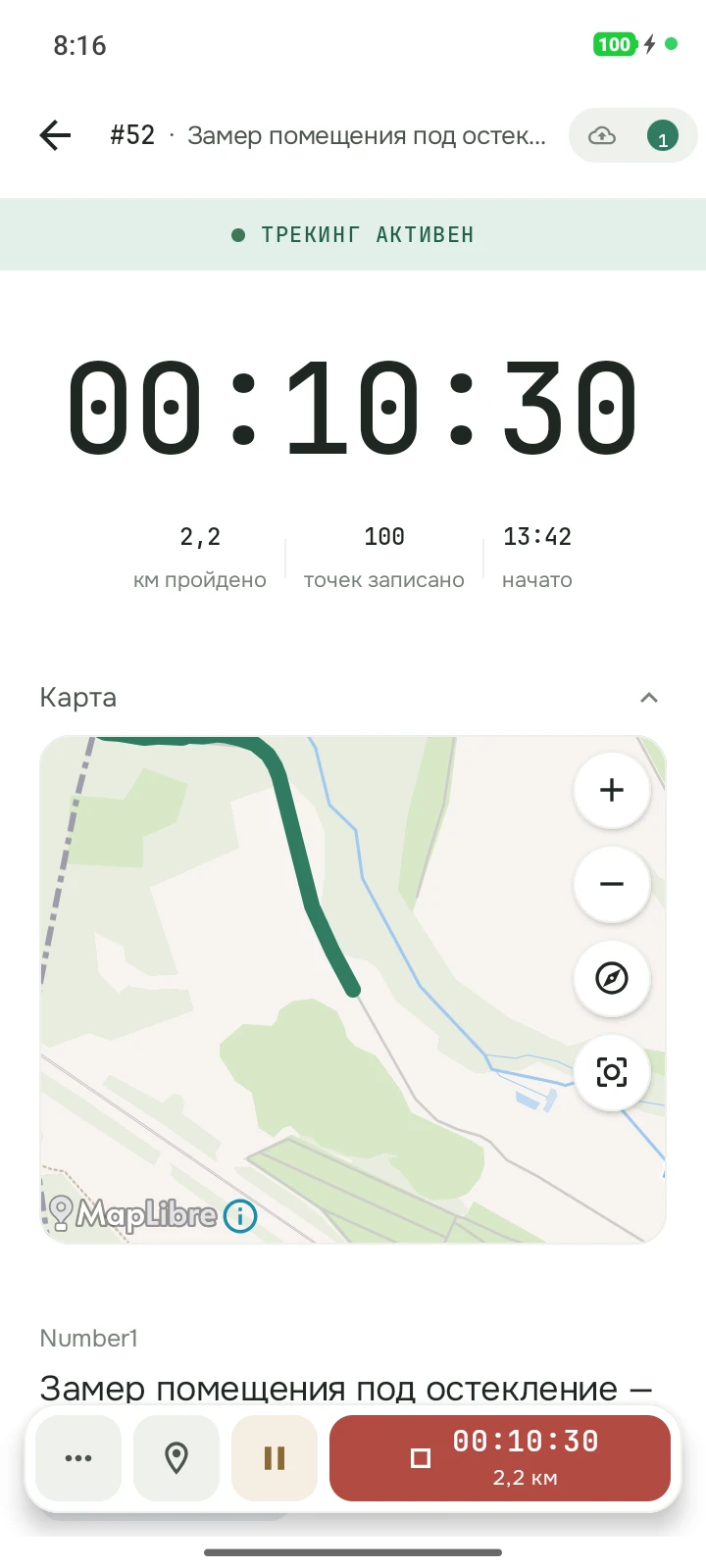
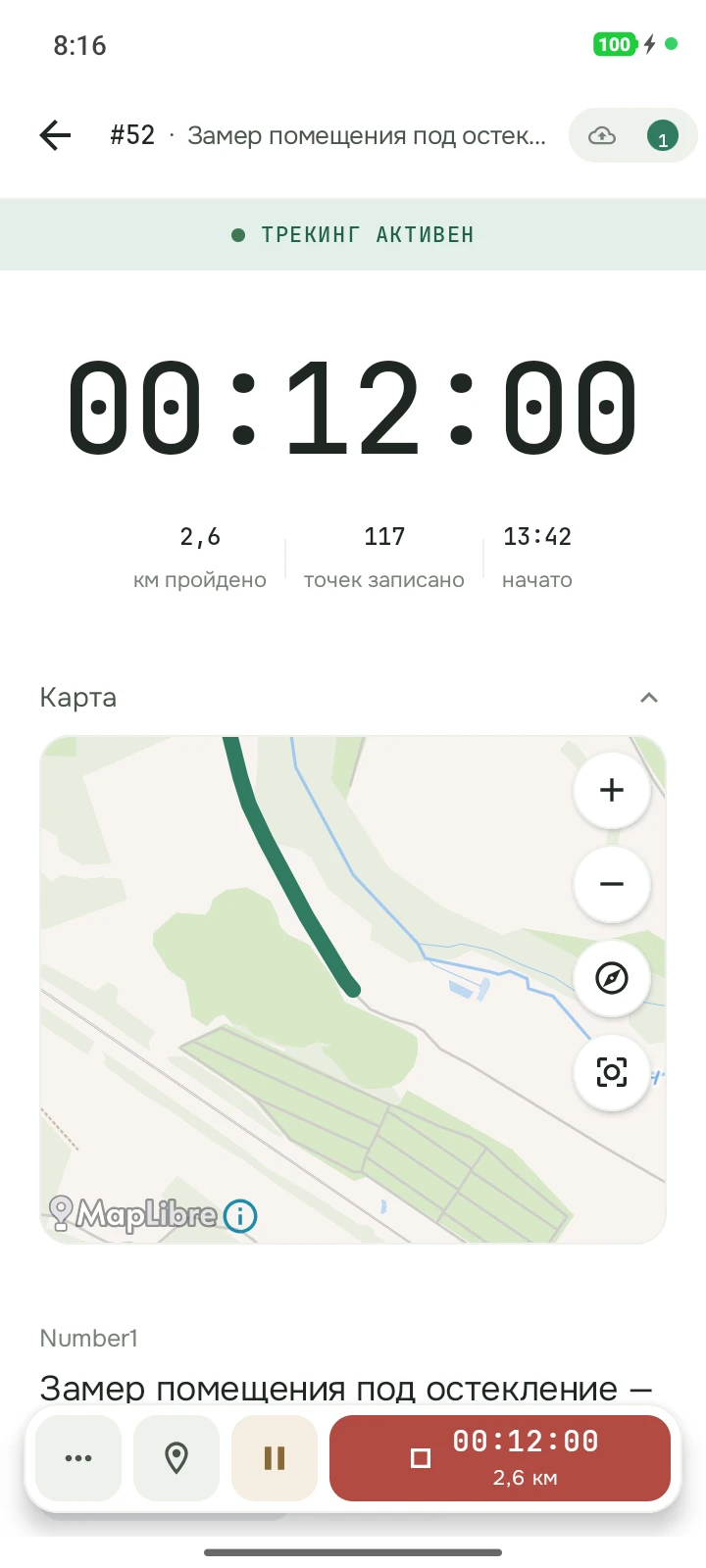
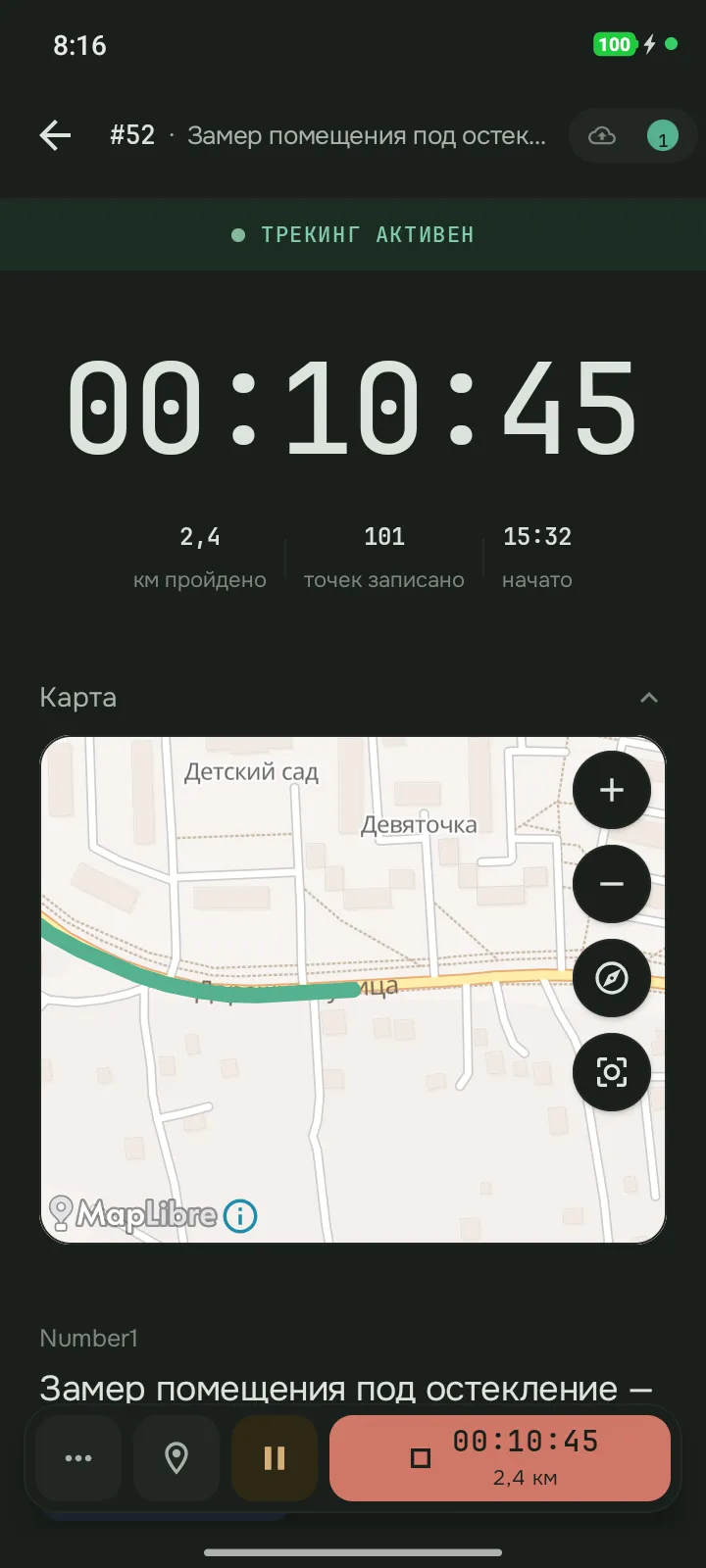
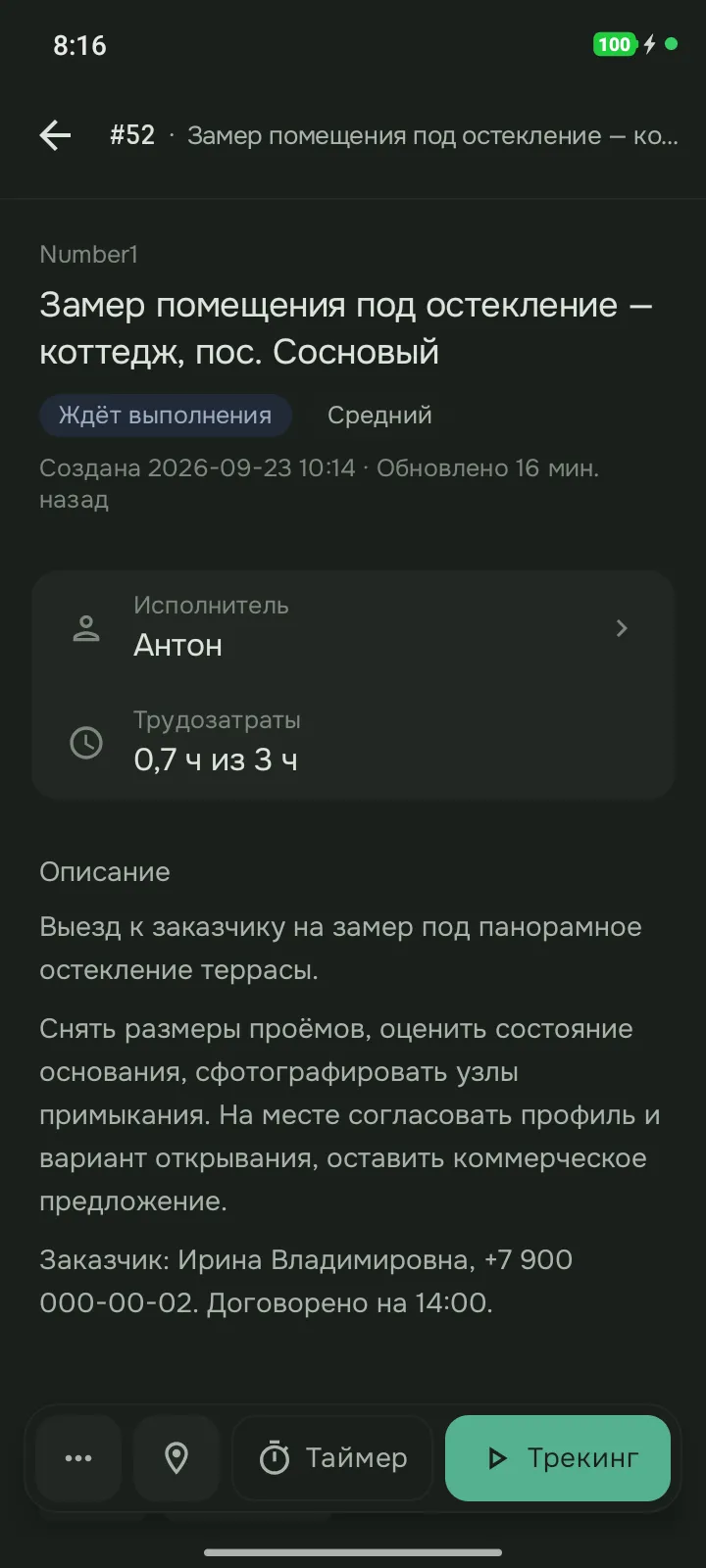
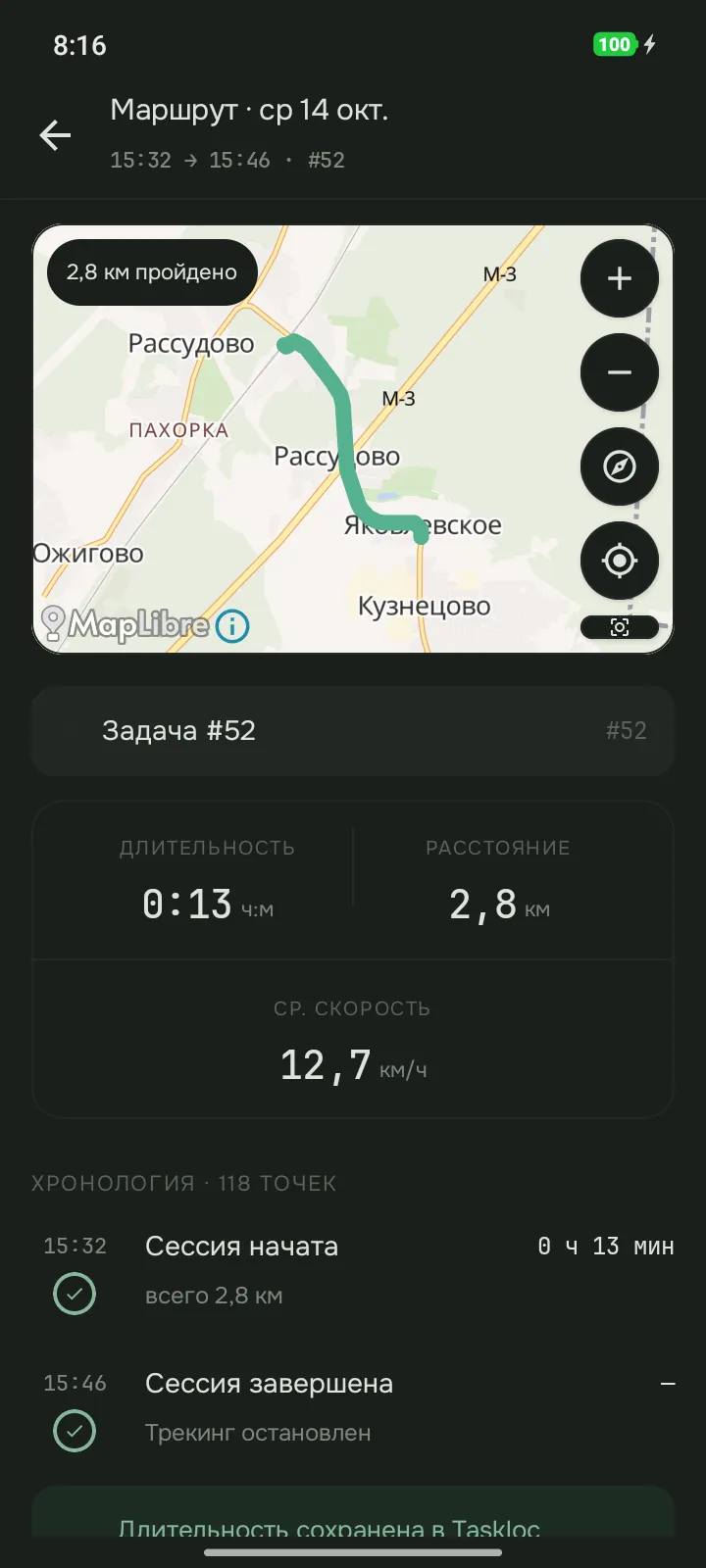
Замер помещения под остекление — коттедж, пос. Сосновый
Выезд к заказчику на замер под панорамное остекление террасы.
- Исполнитель
- Антон
- Срок
- 17 окт., 17:00
- Учёт времени
- 0,7 ч из 3 ч
- Пробег (custom field)
- 4,1 км
Комментарии
Задача из трекера, выезд с таймером и GPS, запись времени — и что потом видит руководитель в веб-кабинете.
Часы, километры и визиты команды — без отчётов от сотрудников
Всё собирается из того, что сотрудники и так делают в приложении: сессии по задачам, отметки на месте и визиты. Отчётов заполнять не нужно; для визитов нужны геозоны задач.
Часы и пробег по проектам
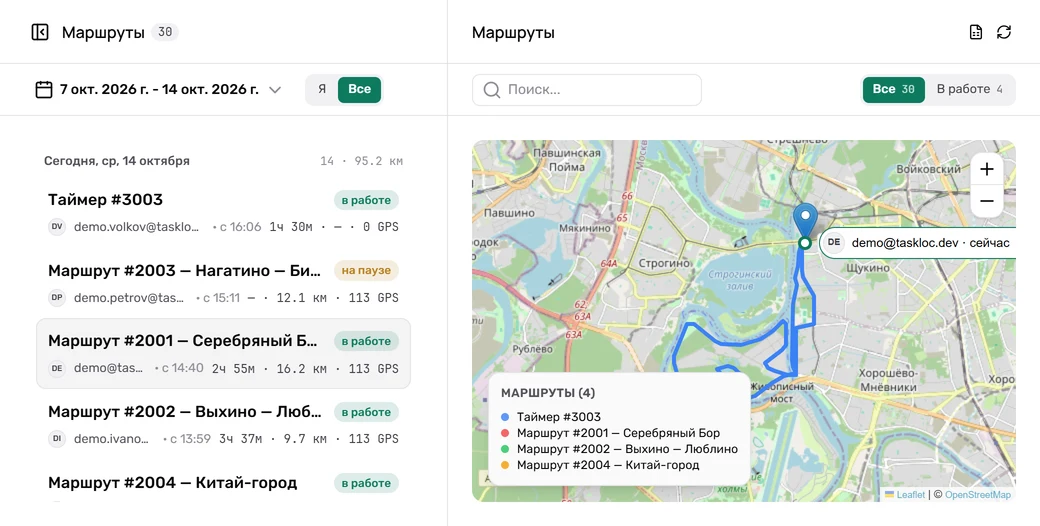
Пробег GPS-сессий и число сессий по сотрудникам и проектам трекера за выбранный период. Часы — записями времени в задачах трекера, где его API это позволяет.
Сколько обычно длится визит
Кликните точку на карте: кто бывал там за неделю или месяц, сколько раз и сколько обычно длится визит — отдельно по GPS и по таймеру.
Реестр визитов с адресом
Каждый визит на объект: тема задачи, адрес места, прибытие, убытие и длительность. Визиты пишутся по геозонам задач у тех, кто включил журнал визитов.
День команды по минутам
Выберите дату и прокрутите день ползунком: где был каждый и когда шёл таймер. День одного сотрудника — списком: сессии, паузы, отметки, визиты.
Карту и статистику команды включает владелец или администратор; кто кого видит — в разделе "Контроль". Типичная длительность появляется от пяти визитов.
Для команд, которые работают на выездах
Стройка
Объект — задача в трекере с геозоной. Мастер запускает на ней сессию на месте, прибытие и убытие попадают в реестр визитов. В истории объекта на карте видно, кто бывал там за неделю или месяц, сколько раз и сколько обычно длится визит — отдельно по GPS и по таймеру.
Логистика
Рейс или доставка — задача в трекере, водитель ведёт её GPS-сессией. Пробег и число сессий собираются по сотрудникам и проектам трекера за выбранный период. День команды можно прокрутить ползунком: где был каждый и когда шёл таймер.
Сервис
Заявка — задача в трекере, инженер запускает на ней таймер или GPS. Часы уходят в эту задачу записями времени — в тех трекерах, которые их принимают. Про забытый таймер приложение напомнит, а остановить его можно на выбранное время. День инженера — списком: сессии, паузы, отметки, визиты.
Учёт работы, а не слежка за людьми
Что ответить команде на вопрос "вы за нами следите?"
- Координаты пишутся только внутри сессии по задаче, которую запускает сам сотрудник. Сессия закрыта — запись остановлена.
- На карте команды человек виден, пока идёт его сессия. В "Кто рядом?" показана последняя точка сессии, закончившейся не раньше чем 12 часов назад.
- Карта и статистика команды выключены по умолчанию. Менеджер видит только тех, с кем у него общий проект в трекере — подробнее в разделе "Контроль".
- Журнал визитов сотрудник включает сам, с отдельным согласием. На карте посещений отметки сведены в квадраты около 250 м, точных координат там нет.
- Сотрудник может сам выйти из организации — новый сбор для неё сразу прекращается.
Поверх трекера, который у вас уже есть
Задачи никуда не переносятся. Комментарии и статусы возвращаются в трекер, время тоже там, где трекер его принимает.
Ограничения14
- GitHubВремя в трекер не пишется — его API не принимает записи времени; запись остаётся в Taskloc.
- GitHubВложения в задачу не уходят — его API не принимает файлы к задаче; фото визита остаются в Taskloc.
- Jira CloudТолько Jira Cloud — наше решение; Server и Data Center не поддерживаем.
- Jira CloudВеб-входа нет — ограничение Atlassian. Вход через приложение.
- LinearВремя в трекер не пишется — его API не принимает записи времени; запись остаётся в Taskloc.
- TaigaВремя в трекер не пишется — его API не принимает записи времени; запись остаётся в Taskloc.
- PyrusВремя уходит в трекер комментарием — отдельной записи времени в его API нет; в Taskloc запись остаётся полной.
- МегапланВремя уходит в трекер комментарием — отдельной записи времени в его API нет; в Taskloc запись остаётся полной.
- YouGileВремя в трекер не пишется — его API не принимает записи времени; запись остаётся в Taskloc.
- YouGileВложения в задачу не уходят — его API не принимает файлы к задаче; фото визита остаются в Taskloc.
- Аспро.CloudВложения в задачу не уходят — его API не принимает файлы к задаче; фото визита остаются в Taskloc.
- monday.comВремя в трекер не пишется — его API не принимает записи времени; запись остаётся в Taskloc.
- AsanaАдрес, пробег и запись времени зависят от тарифа Asana — на Personal недоступны; в Taskloc запись остаётся полной.
- TrelloВремя в трекер не пишется — его API не принимает записи времени; запись остаётся в Taskloc.
Команда на карте за пять шагов
- 01
Войдите своим трекером
Установите Android-приложение и войдите аккаунтом вашего трекера задач — так появится ваш аккаунт Taskloc.
- 02
Создайте командную организацию
Меню профиля → "Управление организациями" → "Новая организация". Приглашать можно на тарифе Team или в пробном периоде, его включает владелец.
- 03
Пригласите сотрудников
По email, с ролью: участник, менеджер или администратор. Приглашение приходит в приложение или ссылкой на почту. Ссылку можно скопировать в веб-кабинете и отправить в мессенджер.
- 04
Сотрудники входят и принимают приглашение
Каждый ставит приложение и входит своим аккаунтом трекера. Как именно — логином и паролем, через браузер или личным API-ключом — зависит от трекера.
- 05
Включите карту и статистику
По умолчанию они выключены. Владелец или администратор включает их: вкладка "Команда" → "Доступ к данным команды". Дальше команда видна в приложении и в веб-кабинете.
Приложение для сотрудников — только Android. Плагины на трекер ставить не нужно; в части трекеров администратор включает доступ по API.
Кто что видит и что можно менять
Роли
Четыре роли: владелец, администратор, менеджер, участник. Владелец и администратор видят всю организацию. Менеджер видит на карте, в статистике, в реестре визитов и в пробеге тех, с кем у него общий проект в трекере.
ПодробнееПолитика команды
Владелец или администратор решает, что участникам можно в приложении: создавать, править и удалять задачи, менять статус, записывать время вручную, запускать таймер или GPS, видеть разделы пробега, отчётов, статистики и геозон. Это порядок в приложении, а не замок: жёсткие права задаются ролями в самом трекере.
ПодробнееЛимиты сессий
Сколько GPS-сессий и таймеров один сотрудник ведёт одновременно — от одной до трёх каждого вида, по умолчанию по три. Лимит действует на всех, включая владельца и администратора.
Сотруднику: одно касание вместо отчёта
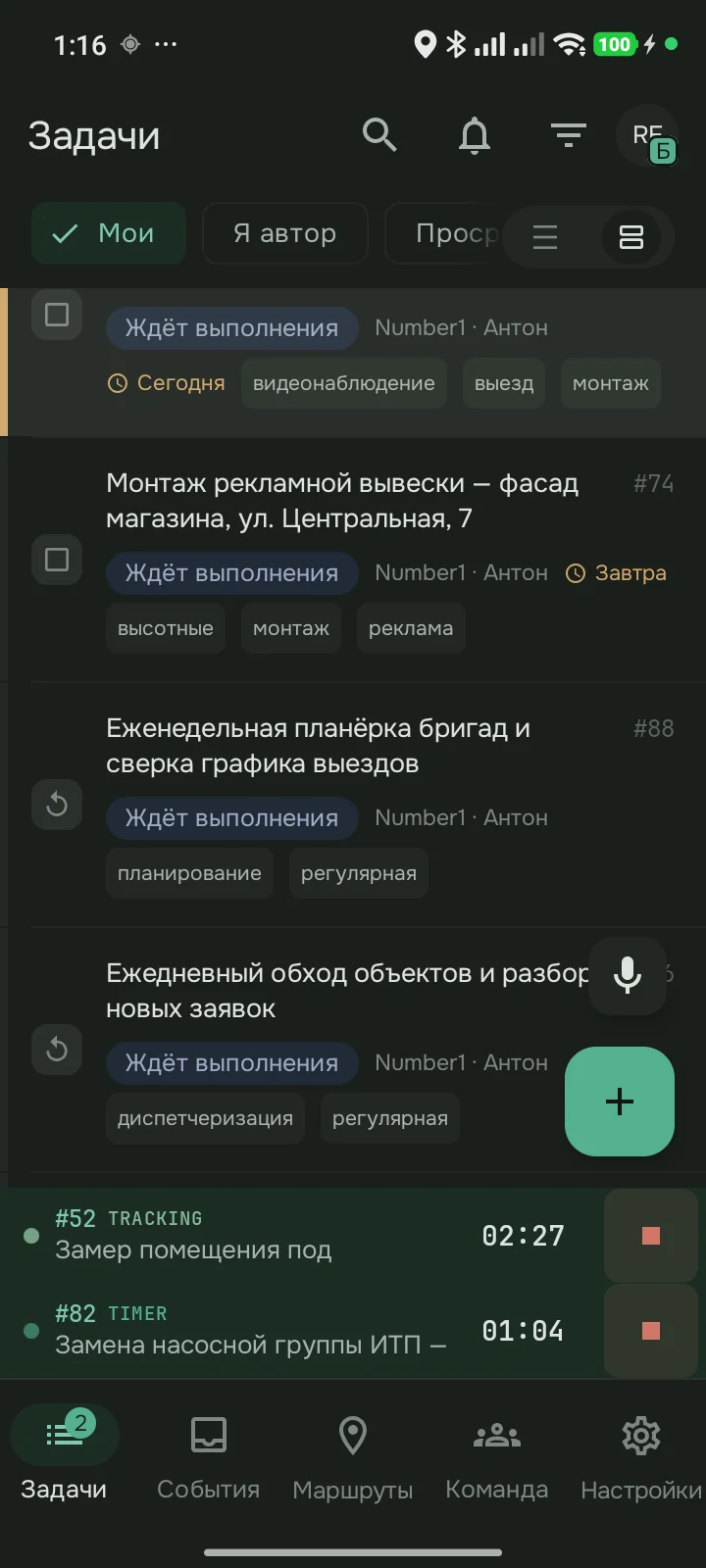
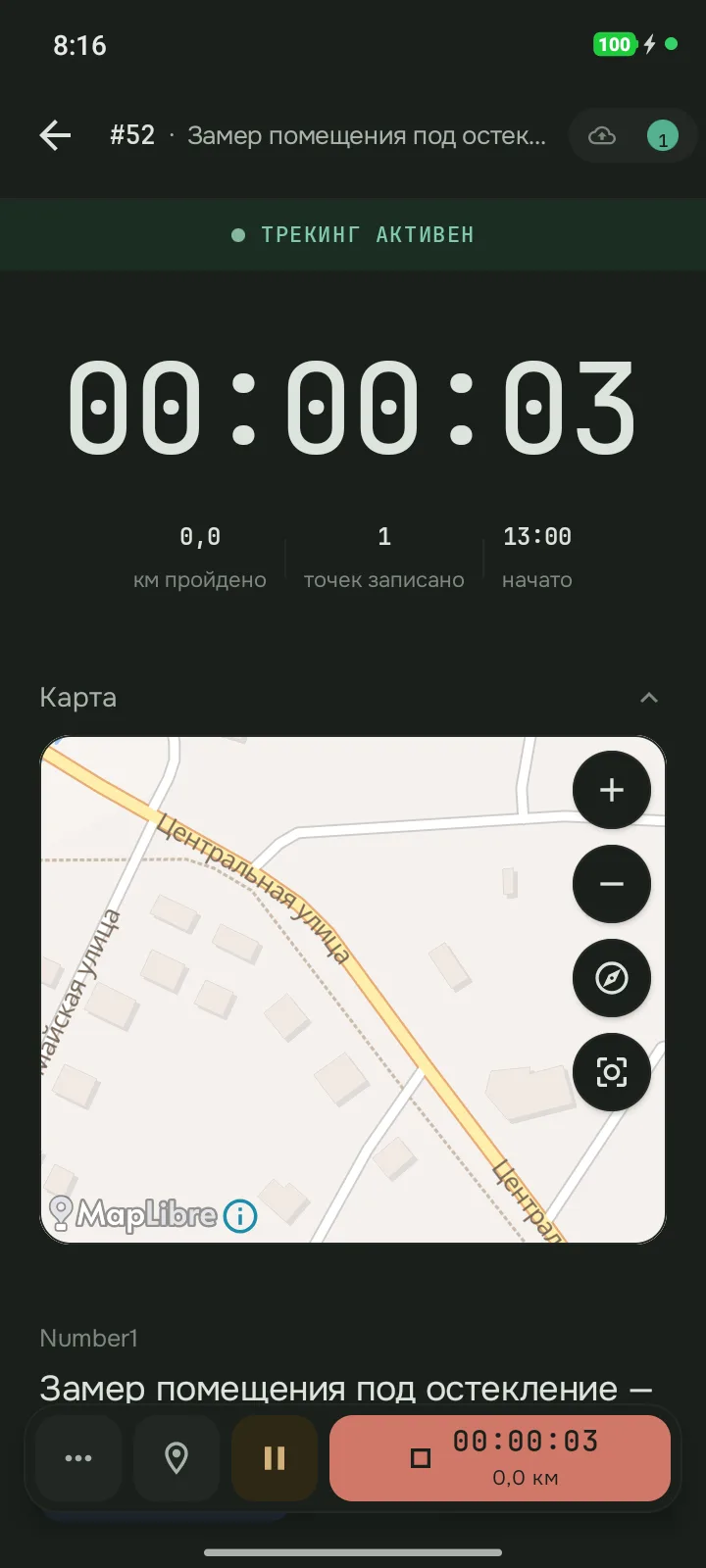
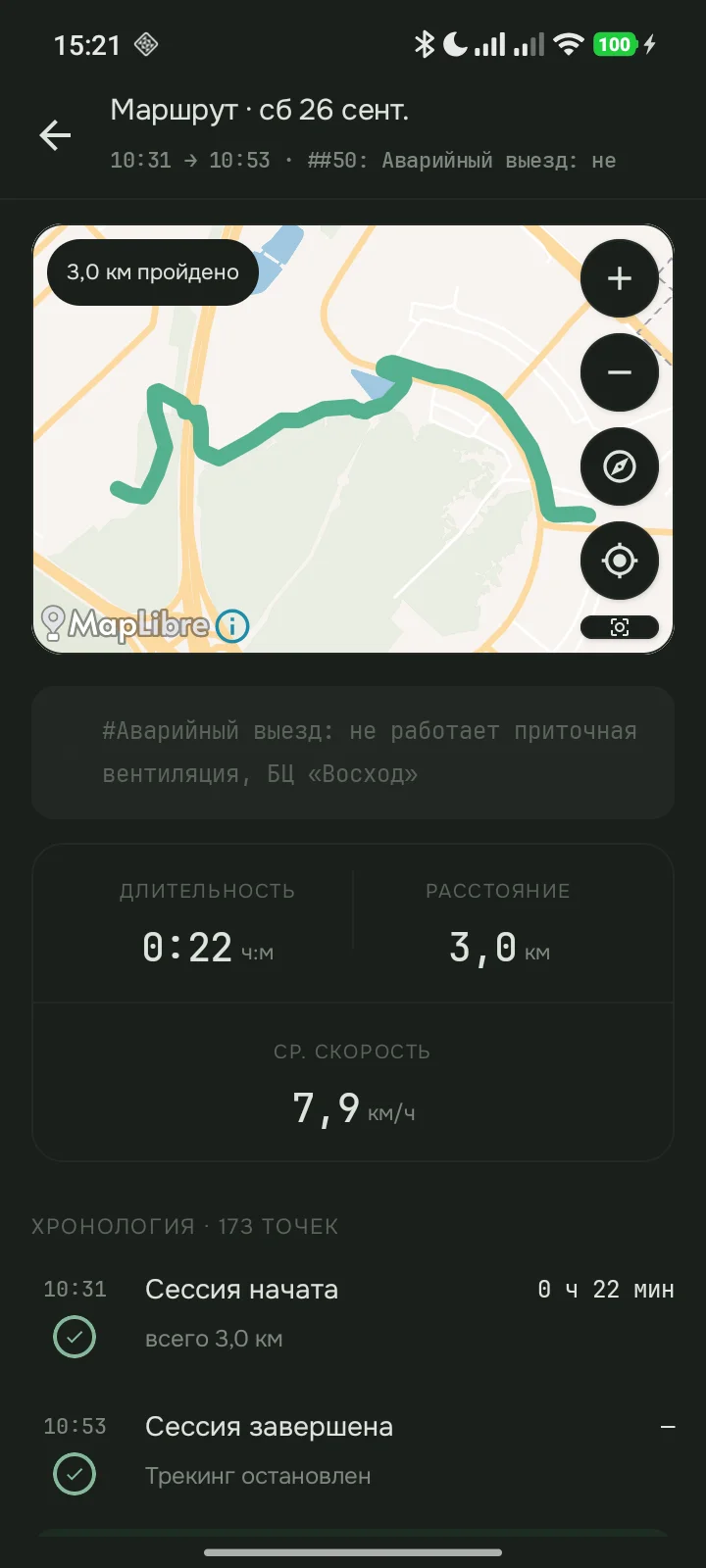
Сотрудник выбирает задачу из трекера и запускает таймер или GPS — время и маршрут пишутся по ходу работы. Если таймер забыт, приложение напомнит, а остановить его можно на выбранное время. Приложением можно управлять голосом — пока только на русском.
- 08:12 → 08:54#2003 Переезд0:42
- 08:54 → 10:26#8412 Монтаж стойки1:32
- 10:26 → 10:41перерыв0:15
- 10:41 → 12:05#8412 Монтаж стойки1:24
- 12:05 → 12:48обед0:43
- 12:48 → 13:20#2003 Переезд0:32
- 13:20 → 14:35#8398 Диагностика1:15
- 14:35 → 14:50перерыв0:15
- 14:50 → 16:10#8398 Диагностика1:20
- 16:10 → 17:02#8407 Заявка, Северный0:52
- #8412 Монтаж стойки2:56
- #8398 Диагностика2:35
- #8407 Заявка, Северный0:52
- #2003 Переезды1:14
- Обед и перерывы1:13
Каждый отрезок — одно касание на входе. Дальше время и маршрут пишутся сами. Это и есть отчёт за день: каждая запись привязана к своей задаче.
Тарифы
Оплата картой МИР или через СБП
Пробный период 14 дней на 3 места — без карты.
От 10 мест, счёт по безналу — оформляем по запросу
Услуга цифровая. Доступ к оплаченному тарифу открывается автоматически сразу после подтверждения оплаты — в веб-кабинете на этом сайте и в приложении для Android под той же учётной записью. Доставка и материальные носители не предусмотрены. Порядок оплаты, получения и возврата — в публичной оферте
Тариф Team — подписка: оплата списывается ежемесячно, в дату продления, по способу оплаты, сохранённому при первой оплате; сумма — 299 ₽ за каждое место в организации. Отменить автопродление можно в любой момент в веб-кабинете, доступ сохранится до конца оплаченного периода.
За пределами РФ и СНГ? Мы принимаем карты МИР банков РФ и СНГ и оплату через СБП; карту иностранного банка принимаем разовым счётом (Robokassa) по цене 590 ₽ за место в месяц или 5 900 ₽ за место в год, без автопродления. Self-hosted при оплате картой иностранного банка — 990 ₽ за место в месяц при оплате за год. Напишите нам — пришлём ссылку на оплату. Написать нам
Вопросы
С чего начать работу командой?
Командная организация создаётся в Android-приложении, приглашения уходят по email — из приложения или из веб-кабинета. Сотрудник ставит приложение и входит своим аккаунтом трекера. В Redmine, Taiga, Мегаплане и YouGile это привычные логин и пароль. В Яндекс Трекере, Jira Cloud и Linear вход идёт через браузер. В большинстве остальных трекеров нужен личный API-ключ, а в Аспро.Cloud его выдаёт администратор портала. Плагины на трекер ставить не нужно; в части трекеров администратор включает доступ по API.
Можно ли попробовать с командой бесплатно?
Да. Владелец командной организации может один раз включить пробный Team: 14 дней, 3 места вместе с владельцем, без привязки банковской карты и без оплаты. Включается в приложении или в веб-кабинете, раздел "Подписка". Когда срок кончится, организация перейдёт на Free: статистика видна за 30 дней, маршруты хранятся 90 дней, новых участников принять нельзя.
Сколько трекеров поддерживается и можно ли подключить два сразу?
Поддерживается 19 трекеров, в том числе Redmine, Яндекс Трекер, Битрикс24, Kaiten, Jira Cloud и OpenProject. К одному аккаунту можно подключить несколько: список задач объединит их, у каждого трекера будет своя вкладка со своими фильтрами.
Нужно ли ставить плагин в трекер?
Нет. Taskloc — не плагин внутри трекера, а мобильное приложение поверх него. Каждый сотрудник подключает свой аккаунт трекера, и приложение работает от его имени и с его правами. В части трекеров администратору достаточно включить доступ по API.
Есть ли GPS в самом Jira, Битрикс24 или Redmine?
Нет. Ни у одного из поддерживаемых трекеров нет GPS-маршрута, пробега или геопривязки задачи — в лучшем случае адрес можно завести текстовым полем. Маршрут, чек-ин на объекте и геозоны Taskloc добавляет поверх трекера, а сами задачи остаются в нём.
Работает ли Taskloc с трекером, в котором нет учёта времени?
Да. В GitHub, Linear, Taiga, YouGile, monday.com и Trello часы в трекер не уходят: у них нет журнала времени, куда их можно записать. Время всё равно считается и остаётся в Taskloc — оно видно в статистике и отчётах веб-кабинета, а задачи, комментарии, статусы и маршруты работают как обычно.
Можно ли учитывать время без GPS?
Да. Таймер считает время по задаче без маршрута и без разрешения на геолокацию — удобно для офисной работы. По остановке время уходит в трекер так же, как после GPS-сессии. Владелец организации может скрыть кнопку таймера политикой команды.
Видит ли руководитель, где сотрудник прямо сейчас?
Только пока у сотрудника запущена сессия: на карте команды показывается последняя точка активной сессии. После остановки сессии сотрудник с живой карты пропадает. В поиске "Кто рядом?" его последняя точка видна ещё до 12 часов после конца сессии.
Кто и какие данные видит внутри организации?
Сотрудник видит свои маршруты и своё время. Карта и статистика команды выключены по умолчанию, их включает владелец или администратор. Владелец и администратор видят всю организацию. Менеджер видит на карте, в статистике, в реестре визитов и в пробеге тех, с кем у него общий проект в трекере.
Следит ли приложение за сотрудником в нерабочее время?
Нет. Координаты записываются только пока идёт активная GPS-сессия по конкретной задаче; таймер координаты не пишет вовсе. Сессию запускает сам сотрудник; вне сессии приложение позицию не собирает.
Могу ли я узнать, кто смотрел мою геолокацию?
Да. Каждый просмотр ваших данных о местоположении другим человеком записывается в журнал: кто, когда, в какой роли и что открыл. Журнал видите только вы — в приложении (Настройки → Трекинг) и в профиле веб-кабинета. Записи хранятся год.
Нужно ли согласие сотрудника на GPS-учёт?
GPS-учёт вводится локальным актом компании — положением или приказом, с которым сотрудники знакомятся под подпись; оператором персональных данных остаётся ваша компания. Со стороны продукта границы заданы технически: координаты пишутся только внутри сессии, которую запустил сам сотрудник. Готовых юридических формулировок мы не даём.
Какие приложения есть?
Android-приложение для сотрудников и веб-кабинет. Приложения для iPhone нет.
Что происходит, если пропадёт интернет во время трекинга?
GPS и таймер продолжают работать. Все данные сохраняются в памяти устройства и автоматически синхронизируются при восстановлении соединения.
Где хранятся маршруты и GPS-данные?
Зависит от того, как вы развернули систему. При self-hosted маршруты и GPS-данные остаются на вашем сервере — у нас нет к ним доступа. В облачном варианте данные хранятся на наших серверах в России в соответствии с 152-ФЗ: мы не продаём их и не используем в собственных целях. Доступы к трекерам при этом по умолчанию хранятся прямо на устройстве в Android Keystore. Сервер доступы к трекерам не хранит: при входе он проверяет их один раз и не сохраняет.
Сколько это стоит и можно ли вернуть деньги?
Тариф Free бесплатен и рассчитан на одного человека в организации. Тариф Team — 299 ₽ за место в месяц, от одного места; оплата картой или через СБП в веб-кабинете, доступ открывается сразу после подтверждения платежа. Возврат при обращении в течение 14 календарных дней с первой оплаты — в полном объёме; дальше вместо возврата отключается автопродление, и сервис работает до конца оплаченного периода.
Как отменить автопродление подписки?
В веб-кабинете, в разделе биллинга: кнопка "Отменить продление" действует в любой момент и без обращения в поддержку. Деньги за оплаченный период не возвращаются — тариф Team продолжит работать до конца периода, дальше организация перейдёт на Free. Возобновить продление до этой даты можно бесплатно.